By: Jadon Lee
January 16, 2026
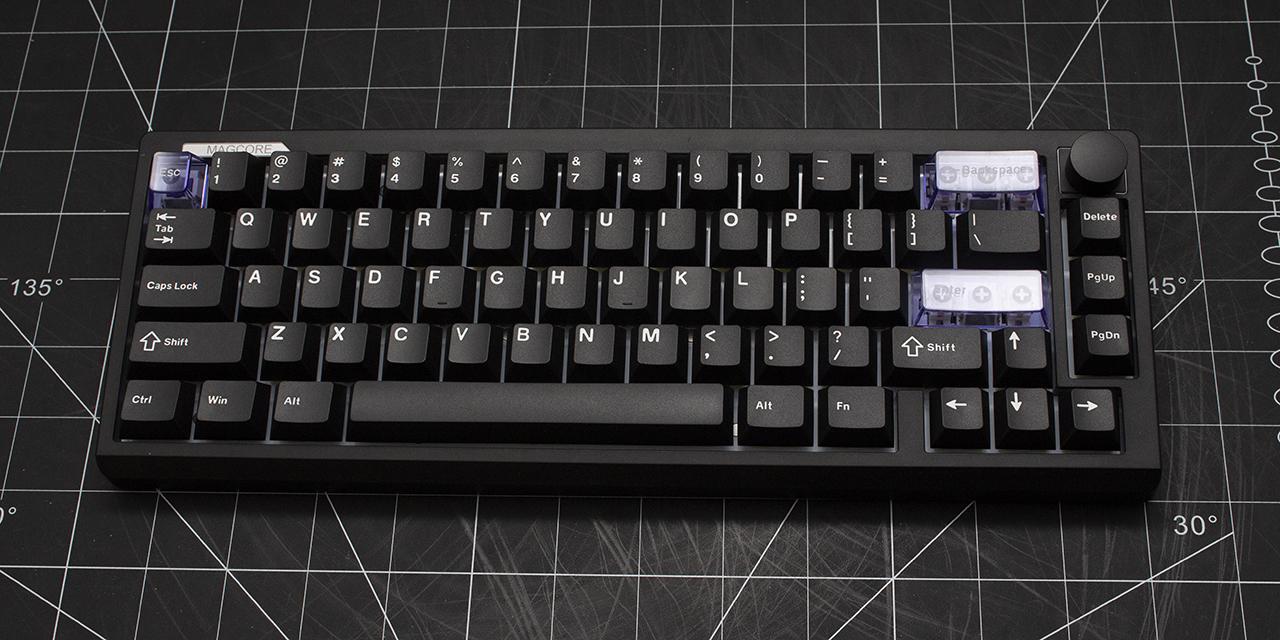
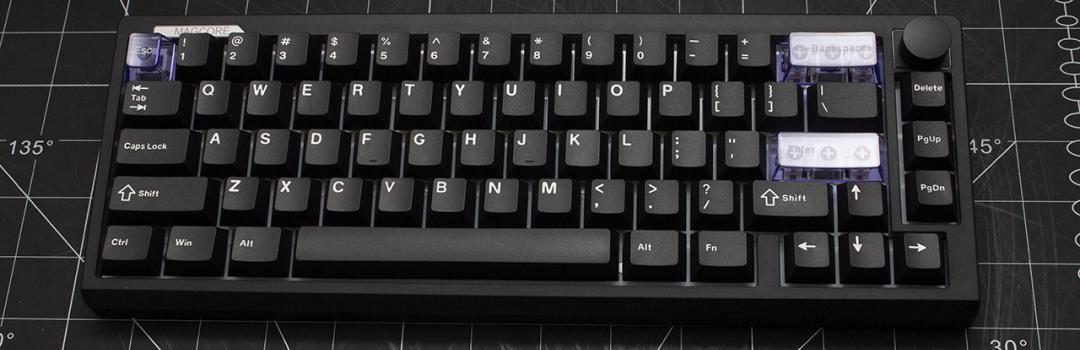
2026 has just begun, and it is that time of year again where everyone reflects on how the past year has been and what they are looking for in the new year. In terms of that, what am I excited for? Recently, I started binge watching That Time I Got Reincarnated as a Slime, which is an anime I do not know why I never started. Honestly speaking, it has been a long time since I have enjoyed a longer show, so it is nice having something to watch in my downtime to rest. Given how busy I have been as of recent days, it is a nice show to not think too hard and simply relax. I think given how much I have pushed myself in the past year, this new year, I will actively look to rest a bit more, and this is a great start. Another activity I plan to do so I can better rest is some casual gaming. It is hard to have a good gaming experience without good peripherals, and that is where the Epomaker Magcore65 Lite comes into play. The Magcore65 Lite is a gaming keyboard that utilizes inductive switches for a better gaming experience. Will the Epomaker Magcore65 Lite aid in providing me with a restful gaming experience? Keep on reading to find out!

Our review unit of the Epomaker Magcore65 Lite came alongside the Carbon X mouse my colleague Aaron Lai reviewed in a tightly wrapped in a plastic that covered many layers of bubble wrap underneath. The box was shipped to us here in Calgary, Alberta from Shenzhen, China via Yanwen. The shipping process was quite good, as it only had a small dent on the surface of the retail box. I was not worried about the condition of the product itself, as there was no noticeable damage.

The Epomaker Magcore65 Lite’s box design is aesthetically pleasing, using a black and purple exterior. The front displays Magcore65 Lite name on the bottom left. Epomaker’s logo is placed on the top left. We find a general render of the keyboard beside the logo with a few features listed below it. The back mentions some additional information. This is a straightforward design that offers very minimal, but relevant, information. Personally, I do not mind this, as I appreciate the lack of clutter and simplicity.
Before we continue, here are the specifications for the Epomaker Magcore65 Lite, as specified by the manufacturer’s website:
Model: Magcore65 Lite
Layout: 65% Layout, US English Layout, QWERTY Layout
Number of Keys: 66 Keys
Battery: 4000mAh Rechargeable Battery (2*2000mAh)
Connectivity: 2.4Ghz Wireless/Bluetooth/USB Wired
Front Height: 21.55mm
Typing Angle: 9.5 and 13.5 degrees
Case Material: ABS Plastic
Plate Material: FR4 Plate
Flex-Cut: No Flex-cut
Stabilizers: Plate-Mounted Stabilizers
Mounting Structure: Gasket-Mount
Sound Dampening: Sandwich Latex Foam, IXPE Switch Pad, PCB Latex Pad, Bottom Silicone
Keycap Profile: Cherry Profile
Keycap Material: PBT Plastic and PC
Keycap Manufacturing Technique: Double-Shot (Black and SIlk Screen (Blue)
Switch: Inductive-Switch
Hot Swappable: Yes (not compatible with 3/5-pin mechanical switches nor magnetic switches)
RGB: Per-Key Adjustable, South-facing LEDs
Polling Rate: 8k polling in wired mode, 1k polling in 2.4Ghz mode, and 125hz in Bluetooth mode
Latency: 0.125 in wired mode, 5ms in 2.4Ghz mode, and 125hz in Bluetooth mode
Anti-Ghosting: Yes, full key N-key rollover
Compatibility: Mac/WIN/Android
Keyboard Dimensions: 323.7*117.7*43.2mm
Keyboard Weight: 750g

Out of the box, you will receive the Epomaker Magcore65 Lite keyboard with a cable, keycap/switch puller, extra switches, and a user manual. The keyboard was wrapped in a plastic bag to prevent any surface scratches. I was pleasantly surprised when it came to packaging. The quality of the packaging is vastly better than most manufacturers, as the foam on the top of the box and around the keyboard were excellent.
Page Index
1. Introduction, Packaging, Specifications
2. A Closer Look - Hardware and Software
3. A Closer Look - Disassembly and Internals
4. Conclusion